New in Triply
Triply Now Runs in Your Browser
September 2026
Trips get planned on laptops. You have twelve tabs open, a friend on a call, and a map you keep zooming — and until now Triply lived on the one screen that was in your pocket. That changes today: app.triplyplanner.com is the full Triply planner, in your browser, on the same account as your phone. Nothing to install, nothing to sync — sign in with the same Google, Apple, or email account and your trips are already there.
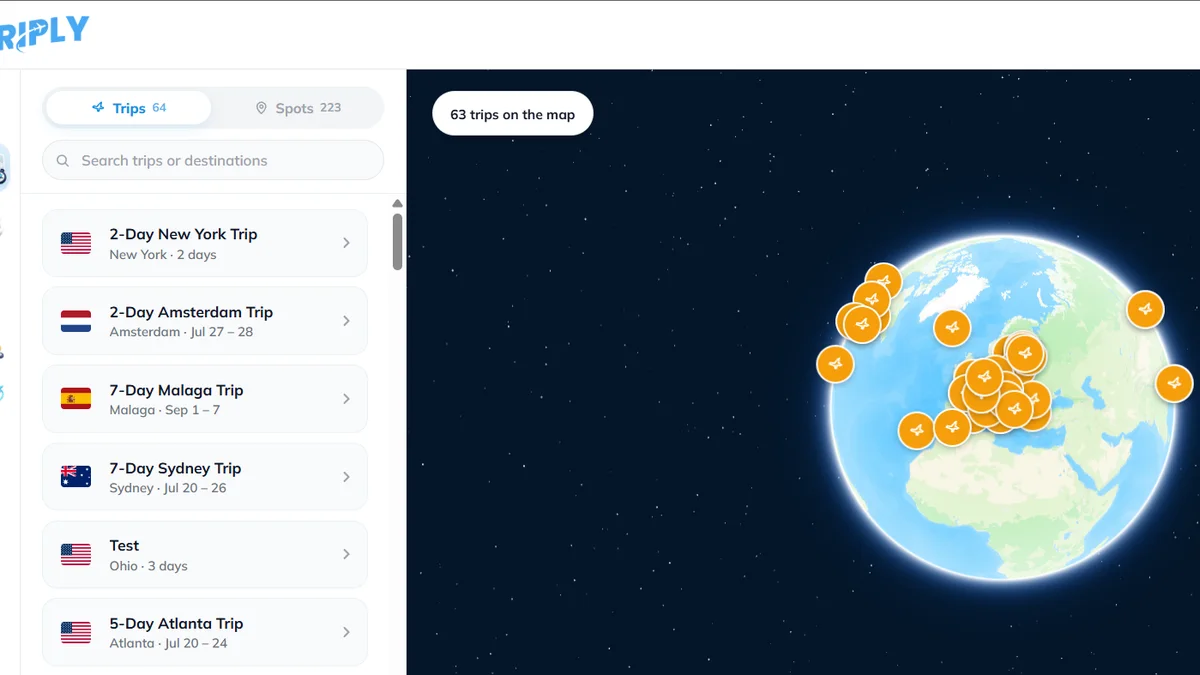
The map is the planner
Open a trip and you get what the app gives you, with room to breathe: your days as chips across the top, every stop pinned, and the walking route between them drawn on the map — with real distances and times, not straight lines. Reorder stops, mark them done, hit Optimize to untangle a zig-zag day, and click any stop for its photos, hours, and directions.
Making a trip is free, and there are two ways to do it
The trip builder from the app is here too. Pick a destination — a city, an island, a region — answer a few questions, and the AI proposes real, mappable places clustered into walkable days. Then choose how you like to decide: Classicshows the whole plan and you untick what you don't want; Swipe deals the spots one at a time and you keep or skip each one (arrow keys work). Building trips is free, on the web just like on your phone.
YouTube imports work right in the browser
Paste a YouTube travel video or Short into the importer and Triply watches it and pulls out every real place, exactly like the app does. TikTok and Instagram imports still need your phone — those videos have to be fetched on a real device — so the web page says so honestly and the import shows up on both screens once it's done.
Lists work with people who don't have the app
Shared lists are on the web too, including joining by invite code. That quietly fixes a real problem: the friend who "doesn't download apps" can now open your list in their browser, see every place, and add their own — from a laptop, with no install.
Triply AI on a big screen
For Pro users, the travel assistant is on the web with everything it has on the phone — and your conversations sync both ways, so a chat you started on the bus continues on your laptop. It can search your saved places, check opening hours live, read a pasted Google Maps link (a single place or a whole saved list), and propose a trip you approve before anything is created.
What still needs the phone
- TikTok and Instagram imports — the video fetch happens on your device.
- Subscribing to Pro — plans are bought in the app, and your Pro works on the web automatically.
- The in-trip companion mode — when you're walking, the phone wins anyway.
Everything else — trips, the map, spot pages, lists, search, your profile — is in the browser now. Start at app.triplyplanner.com, or grab the app below and meet yourself on the other screen.